Master SAP ABAP

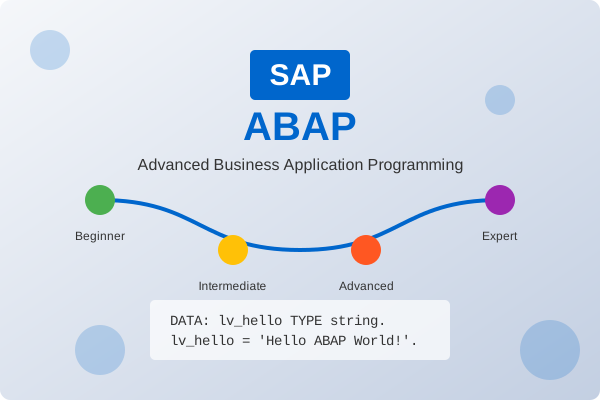
From Beginner to Expert Level

A comprehensive, structured learning path covering all fundamental and advanced concepts of SAP ABAP programming.

SAP ABAP Learning Journey

Your Learning Journey

A structured path to master SAP ABAP from beginner to expert level

Stage 1: ABAP Fundamentals

Beginner 0-3 months

Master the basics of ABAP programming, including syntax, data types, and the development environment.

SAP Architecture ABAP Syntax Data Dictionary Internal Tables Basic Reporting

Learning Objectives

  • Understand SAP system architecture and navigation
  • Master ABAP syntax and basic programming constructs
  • Learn to create and execute simple ABAP programs
  • Understand data types and basic data structures
  • Develop familiarity with the ABAP development environment
Start Learning

Stage 2: Intermediate ABAP

Intermediate 3-6 months

Advance your skills with more complex data manipulation, modularization, and performance optimization.

Advanced Data Manipulation Modularization Database Operations Debugging ALV Reporting

Learning Objectives

  • Master advanced data manipulation techniques
  • Understand modularization concepts
  • Learn debugging and performance optimization
  • Develop proficiency with database operations
  • Gain experience with ALV reporting
Start Learning

Stage 3: Object-Oriented ABAP

Intermediate 6-9 months

Master object-oriented programming concepts in ABAP and learn to design and implement classes and interfaces.

OO-ABAP Fundamentals Inheritance Interfaces Design Patterns ABAP Class Library

Learning Objectives

  • Master object-oriented programming concepts in ABAP
  • Learn to design and implement classes and interfaces
  • Understand inheritance, polymorphism, and encapsulation
  • Develop applications using OO-ABAP
  • Work with the ABAP Class Library
Start Learning

Latest Tutorials

Out latest update tutorials

Recommended books for ABAP learning

Online courses and training resources

SAP certification information

Practical Projects

Apply your knowledge with real-world projects and exercises

Interview Preparation

Prepare for job interviews with common questions and scenarios

What is ABAP and what does the acronym stand for?
Beginner

ABAP stands for Advanced Business Application Programming. It is SAP's proprietary programming language used for developing business applications in the SAP environment.

Originally, ABAP stood for "Allgemeiner Berichts-Aufbereitungs-Prozessor" in German, which translates to "General Report Preparation Processor" in English. It was initially designed as a report generation language but has evolved into a full-fledged programming language for developing enterprise applications.

Explain the difference between a structure and an internal table.
Beginner

Structure: A structure is a collection of fields of different data types. It can hold only one record at a time. Structures are defined using the TYPES or DATA statement with the addition STRUCTURE or by referring to a structure type.

Internal Table: An internal table is a table-like structure that can hold multiple records of the same structure. Internal tables are dynamic and can grow or shrink during program execution. They are defined using the TYPES or DATA statement with the addition TABLE OF.

Example:

* Structure definition
TYPES: BEGIN OF ty_employee,
         id         TYPE i,
         first_name TYPE string,
         last_name  TYPE string,
         dept       TYPE string,
       END OF ty_employee.

* Structure variable
DATA: ls_employee TYPE ty_employee.

* Internal table
DATA: lt_employees TYPE TABLE OF ty_employee.
What is FOR ALL ENTRIES and when would you use it?
Intermediate

FOR ALL ENTRIES is a technique in ABAP to retrieve multiple records from a database table based on values in an internal table. It's used instead of performing multiple SELECT statements in a loop, which would be less efficient.

Syntax:

SELECT * FROM dbtable
  FOR ALL ENTRIES IN itab
  WHERE field = itab-field
  INTO TABLE result_tab.

When to use it:

  • When you need to retrieve data from a database table based on multiple key values
  • When you want to avoid multiple database calls in a loop
  • When the internal table contains a reasonable number of entries (not too large)

Important considerations:

  • The internal table must not be empty, or all records will be selected
  • Always check if the internal table is empty before using FOR ALL ENTRIES
  • Consider using JOIN or other techniques for very large internal tables
Performance Optimization Scenario
Scenario

Scenario: You have an ABAP report that is running very slowly. The report reads data from multiple tables, processes it, and displays the results in an ALV grid. How would you approach optimizing this report?

Expected approach:
  1. Analyze the current implementation using performance tools (ST05, SE30)
    • Use SQL Trace (ST05) to identify slow database operations
    • Use Runtime Analysis (SE30) to find bottlenecks in ABAP code
  2. Identify bottlenecks (database access, processing logic, display)
    • Look for nested loops with database access
    • Check for inefficient internal table operations
    • Examine complex calculations that might be optimized
  3. Optimize database access
    • Use proper WHERE conditions to limit data retrieval
    • Select only necessary fields instead of SELECT *
    • Use JOINs instead of nested SELECTs
    • Implement FOR ALL ENTRIES correctly
  4. Improve internal table handling
    • Use appropriate table types (hashed for key-based access)
    • Implement binary search for sorted tables
    • Pre-allocate tables when size is known
  5. Consider package processing for large data volumes
    • Process data in chunks using PACKAGE SIZE
    • Implement pagination for display
  6. Optimize ALV implementation
    • Optimize field catalog and layout settings
    • Use appropriate ALV model for the use case
  7. Implement caching if appropriate
    • Cache frequently accessed reference data
    • Consider using shared memory for cross-session caching
  8. Test and measure improvements
    • Compare performance before and after optimization
    • Document improvements and techniques used

Best Practices & Expert Tips

Industry best practices and hidden expert knowledge

Code Quality

Best practices for writing clean, maintainable ABAP code.

Learn More

Performance

Techniques for optimizing ABAP program performance.

Learn More

Security

Best practices for secure ABAP development.

Learn More

Expert Tips

Naming Conventions Beyond the Basics

While basic naming conventions (Z/Y prefixes, Hungarian notation) are well-known, experts follow additional practices:

Semantic Prefixes

Use semantic prefixes for custom objects based on functionality:

  • ZFI_ for Finance-related objects
  • ZSD_ for Sales-related objects
  • ZMM_ for Materials Management-related objects
Version Indicators

Include version indicators in development objects:

  • For major revisions: ZPR_INVOICE_V2
  • For temporary parallel development: ZPR_INVOICE_ALT
Consistent Naming

Use consistent naming across related objects:

  • Table: ZTCUSTOMER
  • Structure: ZSCUSTOMER
  • View: ZVCUSTOMER
Meaningful Parameters

Use parameter names that indicate direction and purpose:

  • IV_CUSTOMER_ID instead of just IV_ID
  • CT_RESULTS instead of CT_DATA

Resources

Additional resources to support your learning journey

ABAP Glossary

ABAP
Advanced Business Application Programming, SAP's proprietary programming language.
ABAP Dictionary
Repository for data definitions in SAP, including tables, data elements, domains, and structures.
ABAP Workbench
Development environment for creating and modifying ABAP programs.
ALV
ABAP List Viewer, a standard SAP tool for displaying data in tabular format.

BADI
Business Add-In, an enhancement technique that allows custom code to be inserted at predefined points in SAP standard code.
BAPI
Business Application Programming Interface, a standardized interface for accessing SAP business objects.
Batch Input
A technique for automating data entry in SAP by simulating user input.